Download VibeVideo AI
for Windows.
VibePlayer with an AI scene filter that runs on your own PC. It finds scenes with nudity, sex or kissing, marks them in pink, and skips them. Nothing is uploaded, and the file is never changed.
VERSION 0.1.0 · PREVIEWRELEASED FREE
Both installers and checksumsTwo pictures for every second of film, scored on your PC
On my laptop's NPU (Intel AI Boost)
The video never leaves your PC
Two installers.
Pick yours.
| Windows | Best for | Size | Installer |
|---|---|---|---|
| Windows 10 & 11 · 64-bit | Intel or AMD processor. Most PCs. Self-contained. The AI models download on first use. | 86.8 MB | Download |
| Windows 11 & 10 on ARM | Snapdragon laptops and other ARM PCs. Not yet tested on ARM hardware. Self-contained. The AI models download on first use. | 78.1 MB | Download |
SHA-256 checksums
- VibeVideoAI-Setup-0.1.0-x64.exe
51732bc6d96efc448c60c3bf63ce61de1c1b3918d828b86362e68ca217fb8c19 - VibeVideoAI-Setup-0.1.0-arm64.exe
2027fcfbedb68a398ba3e1b78ec0a0e4d6bbbb4e272c5d85ee34b3e0a5642197
Which one do I need?
Open Settings › System › About. If the system type says x64-based processor, take the first installer; ARM-based, the second. On 32-bit Windows, Windows 7 or 8.1, use VibePlayer instead.
What it
runs on.
- Windows 10 & 11
- 64-bit Windows 10, version 1903 or later, or Windows 11, on an x64 or ARM64 PC. Self-contained: nothing else to install.
- Chips
- Any PC works. An NPU is used first if there is one, then the graphics card (any DirectX 12 GPU), then the CPU.
- Disk and internet
- About 176 MB for the scene model on an NPU or graphics card, 352 MB on the CPU, downloaded once on the first scan. Scans then work offline.
- 32-bit, Windows 7 & 8.1
- Not supported: Windows ML, which runs the AI, doesn’t exist there. VibePlayer runs on them, with skip mode by hand.
- Installation
- For all users (needs administrator permission) or only for you (no administrator rights needed). It installs beside VibePlayer, never over it.
I tested it on my Windows 11 laptop (Intel Core Ultra 5 135U), where the NPU, the Intel graphics and the CPU all ran the scan. The ARM64 edition is built natively for ARM, but I haven't run it on ARM hardware yet. AMD and Qualcomm NPUs, discrete NVIDIA or AMD graphics cards, and Windows 10 itself are untested too.
It finds the scenes.
You decide.
- 01
Finds the scenes
Open a video and VibeVideo AI looks through it on your PC, two pictures for every second of film, starting where you are watching. Scenes with nudity, sex or kissing turn pink on the progress bar.
- 02
Skips them
When playback reaches a pink part, the player jumps to its end and says so: “Skipped a scene (AI filter)”.
- 03
Your choice of what and how strict
Switch nudity and sex, or kissing, on or off. Low, Medium or High sensitivity, changed at any time without a new scan.
- 04
Every scene, your call
Scenes to skip lists every scene with its times. Stretch or trim one a second at a time, keep it, watch it once, or add a scene the AI missed. Your changes are saved for that file.
- 05
On your own PC
Nothing is uploaded, and the file is never changed. It uses the NPU if there is one: on my laptop it scans full-HD video at about 17× real time.
- 06
Everything VibePlayer does
The YouTube-style player, hold for 2x, the mouse-wheel tricks, resume, and skip mode for the parts you mark yourself.
Good, not perfect.
Yet.
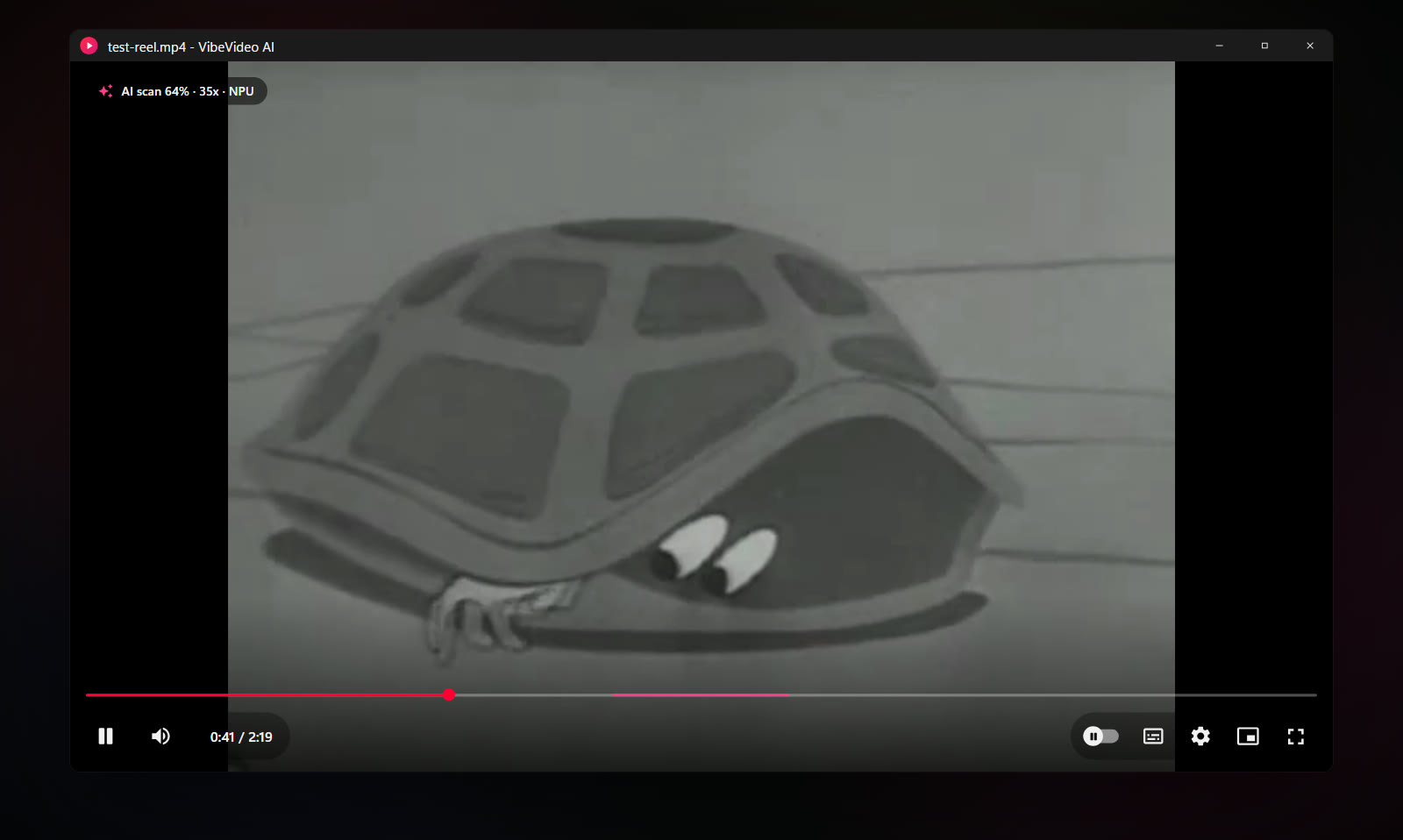
This is version 0.1. It can miss a scene, especially a dark or quick one, and it can mark a harmless one: at High sensitivity it once marked five seconds of a 1951 civil defence film for schools. The pink marks are there so you can see what it found before it skips. In Scenes to skip you keep any scene you choose, move its start and end, or add one it missed.
It isn't parental control: anyone at the PC can switch it off. It scans files on your PC, not network streams. The optional extra nudity detector, NudeNet, is off by default because of its AGPL-3.0 licence; switching it on downloads it (10.6 MB).
Easy to install.
Easy to remove.
- Download the installer for your PC. Use the recommended download above, or pick one from the list.
- Open it. The installers aren't code-signed yet, so Windows SmartScreen may show “Windows protected your PC”. Choose More info, then Run anyway. Compare the SHA-256 checksum first if you'd like to be sure the file is the one I published.
- Choose who it's for, and the extras. A desktop icon, VibeVideo AI in Open with for video and audio files, and Play with VibeVideo AI on the folder right-click menu.
- Open a video. The first scan downloads the scene model once, and on an NPU it can take up to a minute to prepare. The pill at the top left shows what it's doing.
VibeVideo AI keeps itself up to date. Shortly after it starts, and at most once a day, it reads a small file from this site, https://www.nomanshafiq.com/updates/vibevideo-ai.json, with an ordinary web request; nothing about you or your videos is sent. If there's a newer version, Update now downloads it, checks its SHA-256 checksum and installs it. Turn the check off in Settings › Updates.
To remove it, uninstall it from Settings › Apps. That deletes the downloaded models and saved scans in %LOCALAPPDATA%\VibeVideoAI; your settings stay in %APPDATA%\VibeVideoAI.
Curious how
it decides?
I wrote about how it looks at a film, the real scores behind one found scene, the speed on each chip, and what it still gets wrong. There's a 78-second launch video, too.
VibeVideo AI uses LibVLC, the open-source engine of the VLC project, under the LGPL, and CLIP ViT-B/32 by OpenAI under the MIT licence. It is not affiliated with or endorsed by VideoLAN or OpenAI. The image above is a recreation of the app's interface, not a screenshot.